Google Ads Invalid Traffic: How to Spot Fake Clicks

Digital Marketing SpecialistPublished November 24, 2026Last reviewed November 24, 2026
Reviewed by Shahid Ali
Table of Contents
- Google Ads Invalid Traffic: What Google Catches and What It Misses
- What Counts as Invalid Traffic in Google Ads?
- Google's New Invalid Traffic Overview Card: What's Changed
- How Google Spots Invalid Clicks
- What Google's Protection Doesn't Catch
- How to Stop Invalid Traffic in Your Campaigns
- Make your form harder to abuse
- Check leads against your CRM
- Send real results back to Google
- Narrow who sees your ads
- Ask Google to investigate
- Are Third-Party Click Fraud Detection Tools Worth It?
- Frequently Asked Questions
- Does Google refund invalid clicks?
- Does the card cover Display, YouTube and Demand Gen campaigns?
- Is a sudden spike in clicks always invalid traffic?
- Can Google tell me which clicks were invalid?
- Is a fake lead the same as click fraud?
Google Ads Invalid Traffic: What Google Catches and What It Misses #
Say you run a home services business and spend a few thousand dollars a month on Google Ads. The clicks look healthy, and the form fills keep coming. Then your team calls the leads back. Numbers don't connect, some names are keyboard mash, and one email has signed up four times in an afternoon.
The obvious suspect is Google Ads invalid traffic: clicks from bots, accidents, or people who were never going to buy. With CPCs still rising, you'd want to know whether you paid for them.
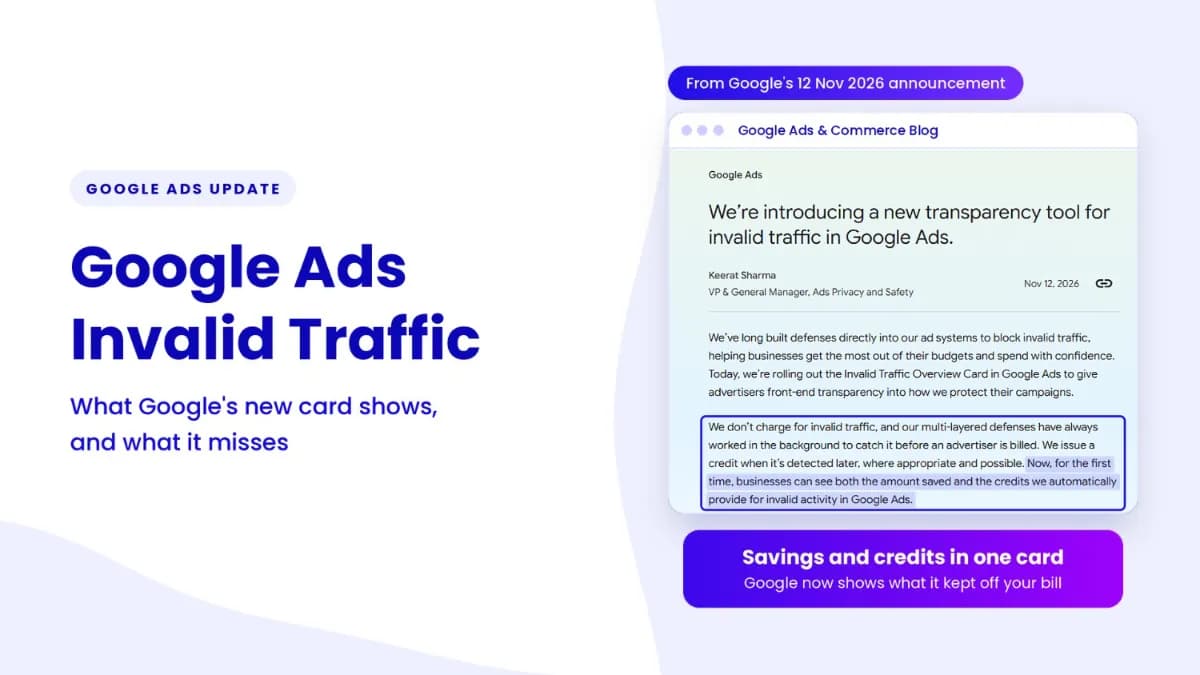
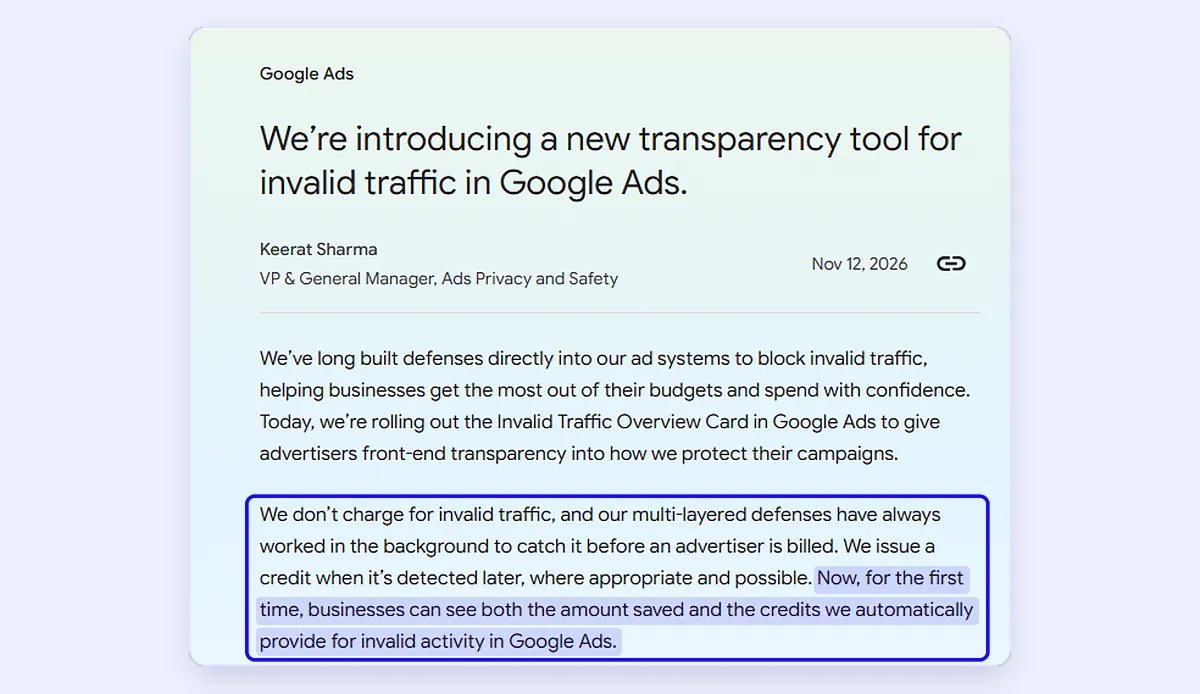
Google's Invalid Traffic Overview Card, rolling out since 12 November 2026, shows what its filters kept off your bill and what it credited back. It can't tell you whether the leads that got through are real, and for this business that's the bigger problem.
What Counts as Invalid Traffic in Google Ads? #
Google defines invalid traffic as any click or impression that doesn't reflect genuine interest in your business. Its help page on invalid traffic lists examples from very different sources.
Bots and scripts are the obvious ones. Accidental clicks count too, like the second click of a double-click or a thumb catching a mobile ad placed too close to a button. Dishonest publishers on Google's partner sites and apps use tricks such as clickjacking, where an invisible ad catches a click meant for something else, and ad stacking, where only the top ad in a pile is visible. And some come from real people, like a competitor running up your costs.
Google's New Invalid Traffic Overview Card: What's Changed #
Before this, the Invalid clicks column counted filtered clicks and credits appeared on your invoice, but nothing showed what those clicks would have cost.
The card adds that figure, and Google's announcement calls it the first time businesses can see both savings and credits. It sits on the Overview page under the Campaigns tab and shows two numbers for any date range: estimated savings (the cost Google's automated protections kept off your bill) and credited cost (credits for invalid activity found after a billing cycle closed). "View details" breaks both down by day and campaign.
Savings scale with spend, so your biggest campaign will usually show the biggest number. Credits don't change your campaign stats, which Google freezes at month-end, but the Invalid Activity Credit Report in Report Editor shows Search and Performance Max costs with credits removed.
Google hasn't explained how it calculates savings, and its claim of a 30% average drop in advertiser exposure to invalid leads in 2026 lacks a definition or baseline.
How Google Spots Invalid Clicks #
Google keeps its methods private, but its Ad Traffic Quality pages outline them.
Most detection is automatic. Google says over 200 filters stop the vast majority of invalid traffic in real time or soon after. Examples include a user agent or IP address already on a denylist, and a publisher with a suspiciously high clickthrough rate or lots of traffic from one user. Think of one device hitting the same ad repeatedly, or a small app sending more clicks than its audience could explain.
Other patterns take longer. When traffic passes the filters but still looks odd, Google gathers data for days or weeks before its team reviews it, which is why some invalid clicks are billed first and credited later.
Its team also manually reviews issues flagged by advertisers, publishers and Google's own systems. In August 2025, Google said LLM-powered defenses that analyze app and web content, ad placements and user interactions had cut invalid traffic from deceptive or disruptive ad serving by 40% (internal data, December 2023 to October 2024).
What Google's Protection Doesn't Catch #
Every layer above judges clicks. For the business we started with, the damage showed up in the leads, and what someone types into a form is mostly outside Google's view.
A bot can arrive through a normal-looking click and fill in the form, and a real person can enter a fake number to get a price without a sales call. Google's Prevent invalid leads page says its filters "don't prevent invalid leads on their own."
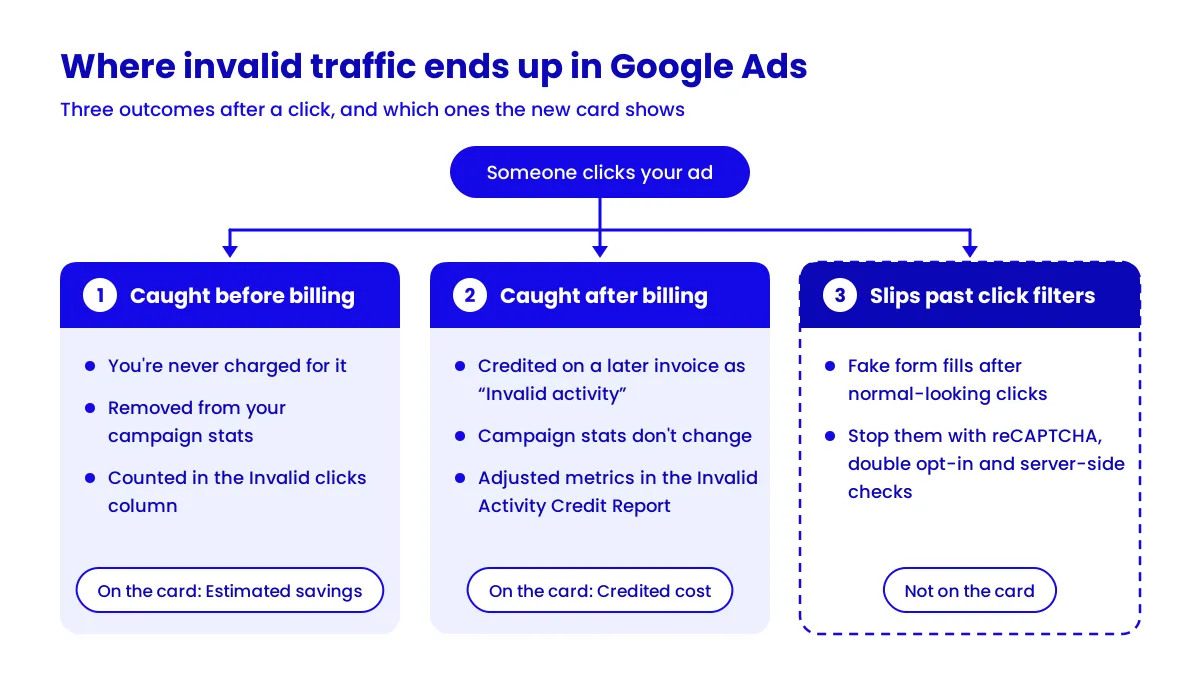
Junk leads can cost more than the clicks behind them. If a script fills in your form dozens of times over a weekend and each one counts as a conversion, that campaign suddenly looks like your best performer. Smart Bidding learns from it and bids harder for similar visitors, and if the clicks looked valid, the card won't flag any of it.
How to Stop Invalid Traffic in Your Campaigns #
Google's filters protect your budget, but your forms and CRM are up to you. No single fix below is airtight.
Make your form harder to abuse #
reCAPTCHA v3 gives each submission a bot-likelihood score in the background, and your form decides what to do with low scores. It stops a lot of basic spam, but not people typing fake details or every bot. Server-side validation rejects obvious junk, like a phone number with the wrong number of digits or an email domain that can't receive mail. Double opt-in counts a lead only after the person clicks a confirmation link, but some real prospects never click, so it suits downloads better than urgent repair requests. Each check adds friction, so test it like any conversion rate optimization change.
Check leads against your CRM #
Only your CRM knows what happened to each lead. Mark each one as genuine, spam, repeat, or wrong details, then compare every campaign's monthly junk-lead rate with the card for the same dates. Rising junk with flat Google figures points to your forms rather than the clicks.
Send real results back to Google #
Enhanced conversions for leads lets you upload qualified and closed leads matched to the ads behind them, so bidding aims for real inquiries instead of any form fill, and you can judge campaigns on cost per qualified lead and other metrics beyond ROAS.
Narrow who sees your ads #
Switching your location option from "Presence or interest" to "Presence" focuses ads on people in or regularly in your area, though Google doesn't guarantee location accuracy. For one known source, such as a competitor's office, you can exclude up to 500 IP addresses per campaign and keep an account-level list that also covers Performance Max. Exclusions won't stop an organized operation, since offices and mobile networks share addresses and bots switch them.
Ask Google to investigate #
For something specific that hasn't been credited, the Click Quality Form covers the last 60 days. Include dates, campaigns, keywords, and server log details such as IP addresses and GCLIDs.
Are Third-Party Click Fraud Detection Tools Worth It? #
Google Ads invalid traffic detection platforms give you a view that doesn't come from Google. Most use a script on your site to log each paid visit's IP address, device, timing, and on-page behavior. They score visits against their own rules and push suspicious sources into Google Ads as IP or audience exclusions. Some also screen form submissions, the gap Google leaves to you.
They can't change your Google bill, so their job is to keep the next suspicious visitor away, by their own definition of invalid. Lunio, one vendor, classed 8.51% of 2.7 billion paid clicks as invalid in its 2026 Global Invalid Traffic Report, and 7.57% on Google Ads, using data from August 2024 to July 2025. That's the vendor's classification, not an audited count, and Google says it doesn't compare its results with third-party reports.
When comparing tools, ask which campaign types they cover, how they avoid blocking customers on shared IP addresses, whether they check forms, and how they'll prove better lead quality. The cost is easiest to justify when clicks are expensive, and every fake lead costs your team a phone call. Try the form and CRM fixes first, though. They're cheap, and they show whether you have a click problem or a lead problem.
We can check this for you. We'll compare your Google Ads data with your CRM to find wasted budget. Talk to our PPC team.
Frequently Asked Questions #
Does Google refund invalid clicks? #
Usually there's nothing to refund, because Google doesn't charge for invalid clicks caught before billing. Anything found later is credited on a future invoice, when appropriate and possible.
Does the card cover Display, YouTube and Demand Gen campaigns? #
Google hasn't said. The Invalid Activity Credit Report covers only Search and Performance Max, so check which campaigns appear under "View details."
Is a sudden spike in clicks always invalid traffic? #
No. Google says spikes often come from real demand or campaign changes, so check your change history first.
Can Google tell me which clicks were invalid? #
No. Google doesn't share click-level detection details or confirm whether individual clicks were valid.
Is a fake lead the same as click fraud? #
Not necessarily. A fake lead can come from a genuine click by someone typing false details, or from a bot that got past Google's filters.
Written by
Digital Marketing Specialist at Vynce Digital
Tuba Mushtaq is a Digital Marketing Specialist at Vynce Digital who writes about AI search, technical SEO, paid search and conversion rate optimization.
More from Tuba